ChatGPT
Set it up in your AI app
Name it VibeTrader. Paste the MCP URL. Keep defaults. Save. Connect. Sign in. Approve.
Create VibeTrader
Turn on developer mode
Open Advanced settings and turn on Developer mode. Click Create app.
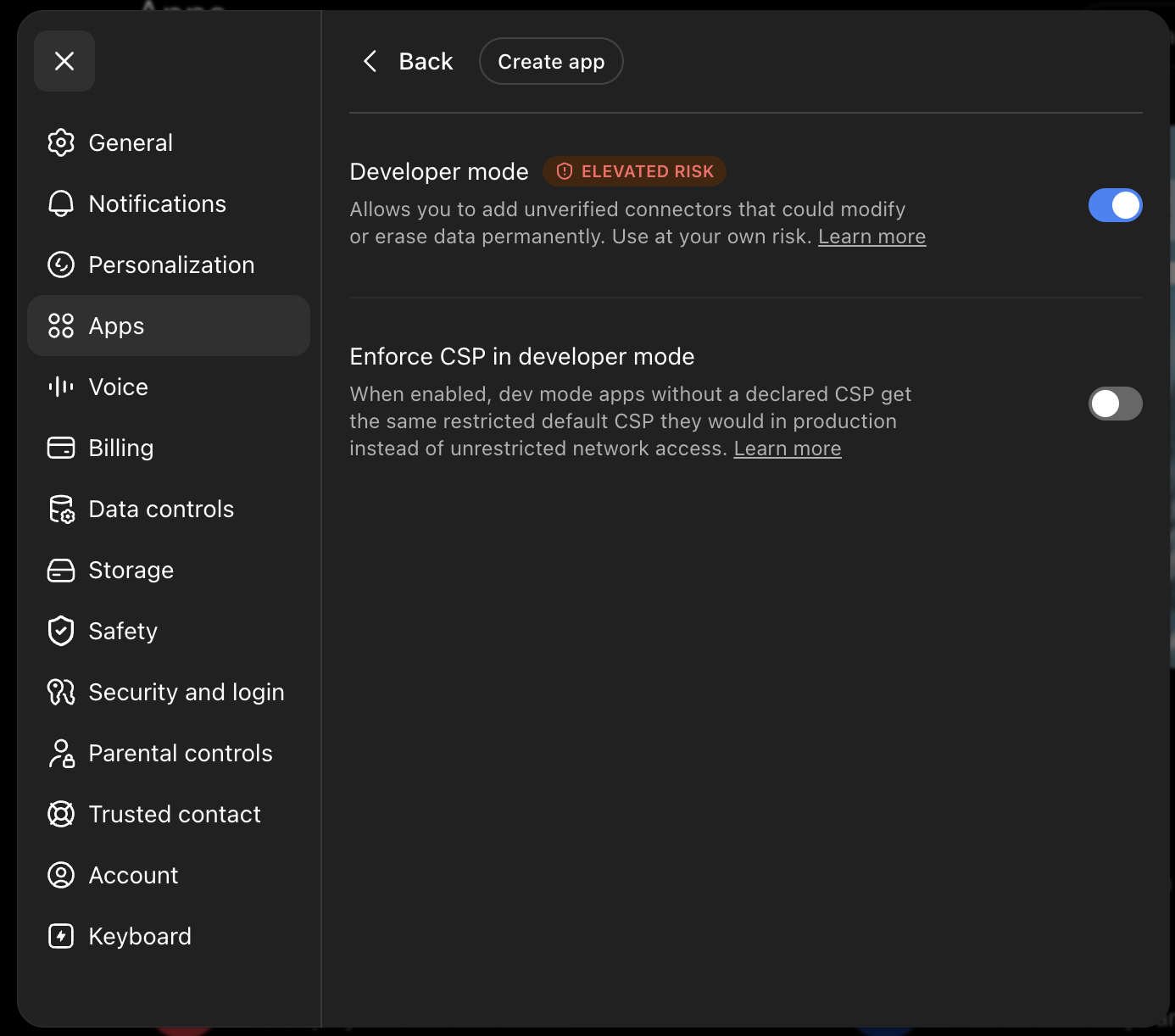
Only the name and MCP URL are needed. Keep the default settings.
For account balances, exposure, orders, and positions, connect Binance read-only keys inside VibeTrader after MCP is connected.
See it working
One SOLUSDT question. A full session read with price action, volume, funding, and key levels.
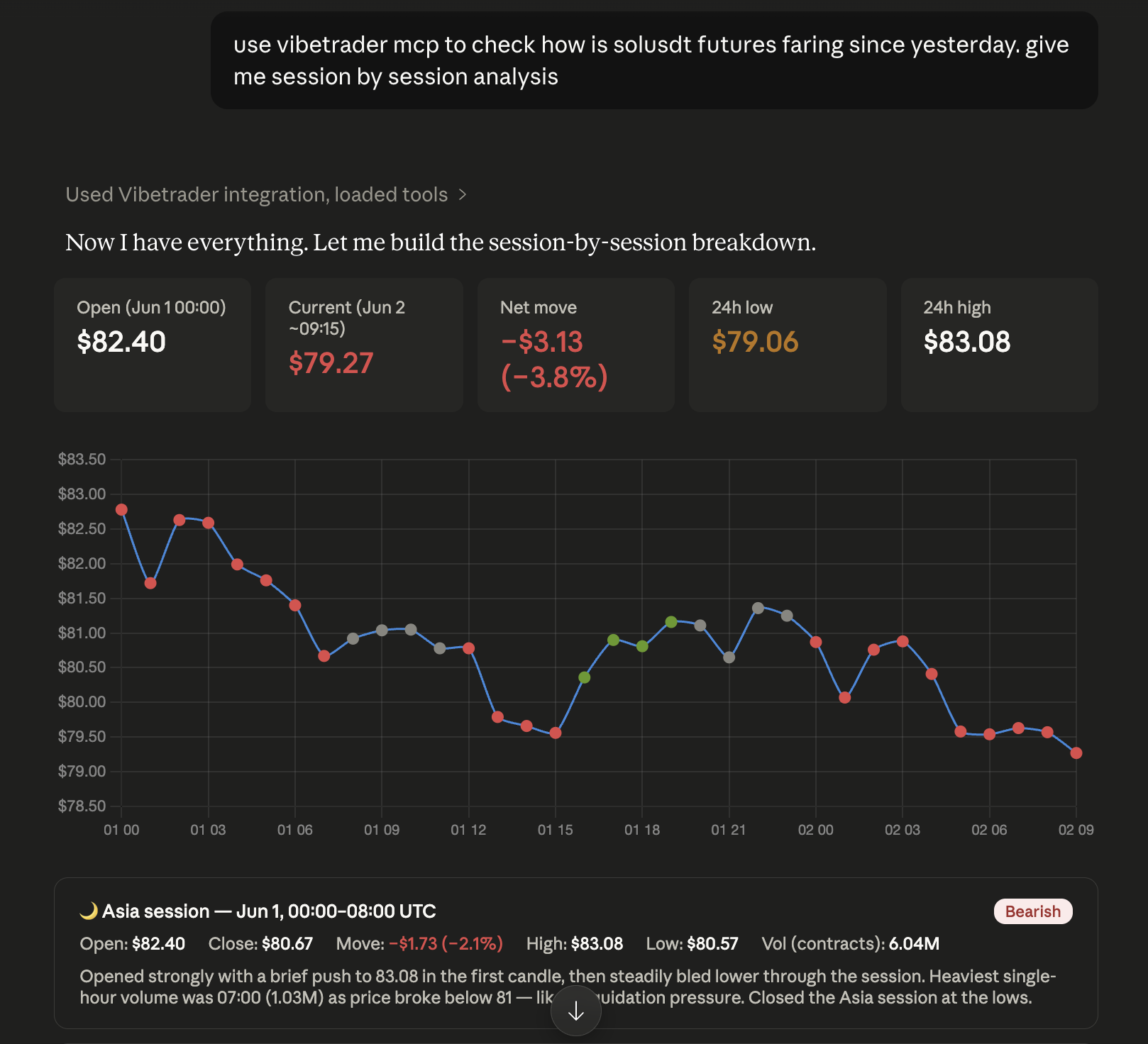
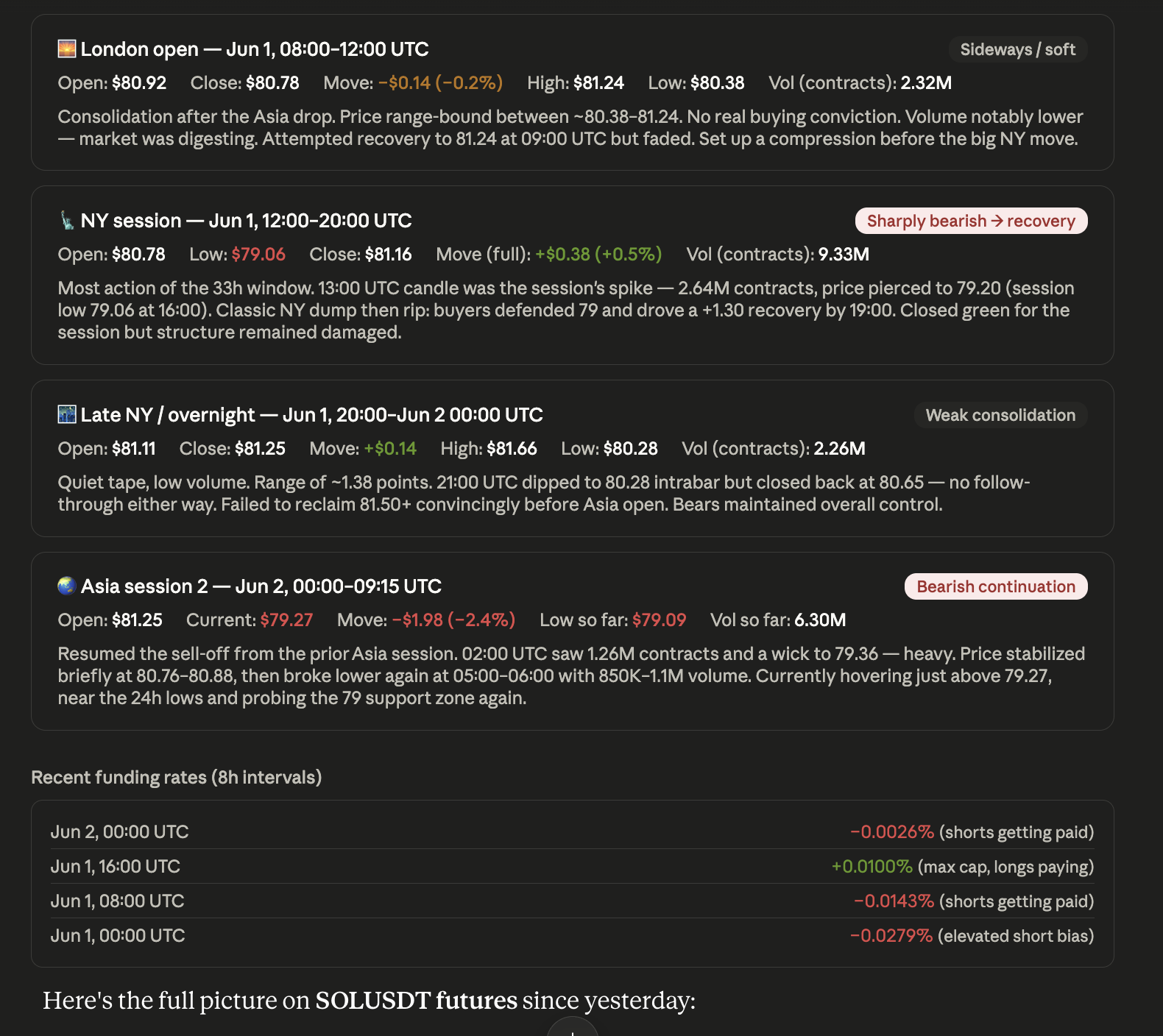
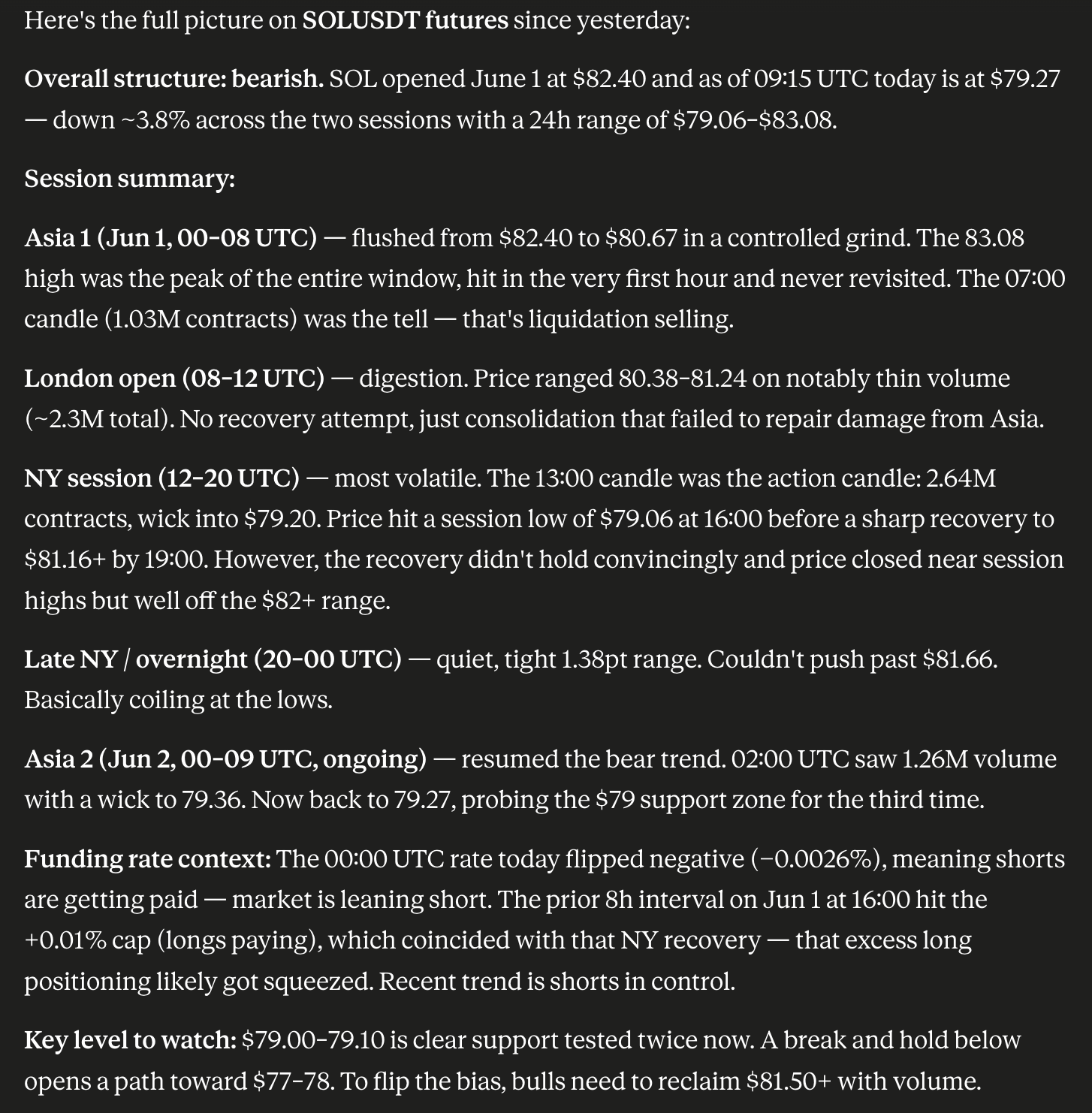
Example response from VibeTrader inside an AI chat.
FAQ
Yes. This is the official setup page for connecting VibeTrader to ChatGPT, Claude, or Codex. Use this MCP URL: https://app.vibetrader.pro/mcp.
It gives your AI the context it usually does not have on its own. That includes market context, setup context, strategy context, and risk context. If you add read-only Binance keys in VibeTrader, it can also help with account context like balances, positions, open orders, and exposure.
You can ask for market reads, session-by-session breakdowns, setup reviews, risk checks, open orders, positions, balances, account exposure, recent order history, and trade reviews. In practice, most people use it to ask what the market is doing, what their account looks like, and whether a setup or recent trade still makes sense.
Yes. VibeTrader is built for traders who want to use AI with real context instead of generic answers. It brings market context, account context, trade review, journaling, and strategy context into ChatGPT, Claude, or Codex, so the conversation can stay grounded in what you are actually trading and reviewing.
Connect VibeTrader in ChatGPT once, then ask about live markets, your Binance balances, positions, orders, exposure, setups, or past trades. You do not need to keep copying screenshots, account numbers, or market notes into the chat every time. The goal is to make ChatGPT useful for actual trading analysis, not just generic market commentary.
Yes. Claude and Codex work the same way. Once VibeTrader is connected, you can use them for market analysis, setup review, risk checks, and trade reasoning. The experience is the same idea across all three apps: connect once, then ask better questions with better context.
Yes. After you add read-only Binance keys in VibeTrader, your AI can help review balances, positions, open orders, account exposure, and recent account activity. That is especially useful when you want to understand what is going on in your account quickly without clicking through multiple exchange screens.
Right now, VibeTrader still needs to be added manually through the setup screen in ChatGPT, Claude, or Codex. This connector is new and should be available directly through the official app libraries soon. Until then, this page is the fastest way to connect it and start using it.
Yes. It can help you review trades, keep journal context, and think through setups or strategy with less repeated prompting. Instead of starting from zero every time, your AI can work with more of the trading context that matters when you are reviewing decisions and patterns.
Yes. VibeTrader is built around trade review, journaling, and workflow context, so you can revisit decisions and improve your process over time.
That depends on the app you are using and which connector features your plan includes. If the app gives you access to custom apps, connectors, or MCP servers, VibeTrader should fit into that flow. If you do not see those options yet, check your plan or wait for wider rollout inside that app.
Yes. VibeTrader MCP is currently free to use during the public beta. You can connect it and use it without a separate MCP charge for now.
If you need more compute or want specific changes, just email [email protected]. We can review what you need and quickly add the right tools or support where it makes sense.
No. It does not place trades from your AI chat. Right now it is for analysis, account context, setup review, risk checks, and trade review. The point of this page is to help you connect the analysis workflow first.
Yes. You can connect VibeTrader and use it just for market analysis, setup review, and trade reasoning. Binance keys are only needed if you also want account balances, positions, exposure, or open orders in the conversation.
Yes. Your Binance keys are stored encrypted. They are only decrypted at the time they are needed for usage, not kept exposed in plain form.
No. We do not have trading access through the Binance keys used in VibeTrader. Trading access would require IP whitelisting, and we do not provide that setup to users right now. In practice, that means VibeTrader can help with account context and analysis, but it cannot place trades on your behalf.
That is normal. The MCP URL is meant for ChatGPT, Claude, or Codex, not for opening like a regular web page. If you paste it into a browser tab, you may see a plain server response instead of a page. Just copy the URL into the AI app setup screen and continue there.
Usually no. You may only need to reconnect if your session expires or you remove access.